← PROJECTS CEBAN MARIUS / PROJECTS / FONTARA
07 — Frontend Development

Fontara.

A live typography playground for designers and developers — 175+ Google Fonts loaded on demand, 7 real-world layout previews, compare mode for side-by-side pairing evaluation, full typography controls, keyboard shortcuts, and a shareable URL that encodes your exact configuration. Built with React, TypeScript, and Zustand.

Role
Designer & Developer
Year
2025
Stack
React 18, TypeScript, Vite, Zustand
Status
Live
Live Site
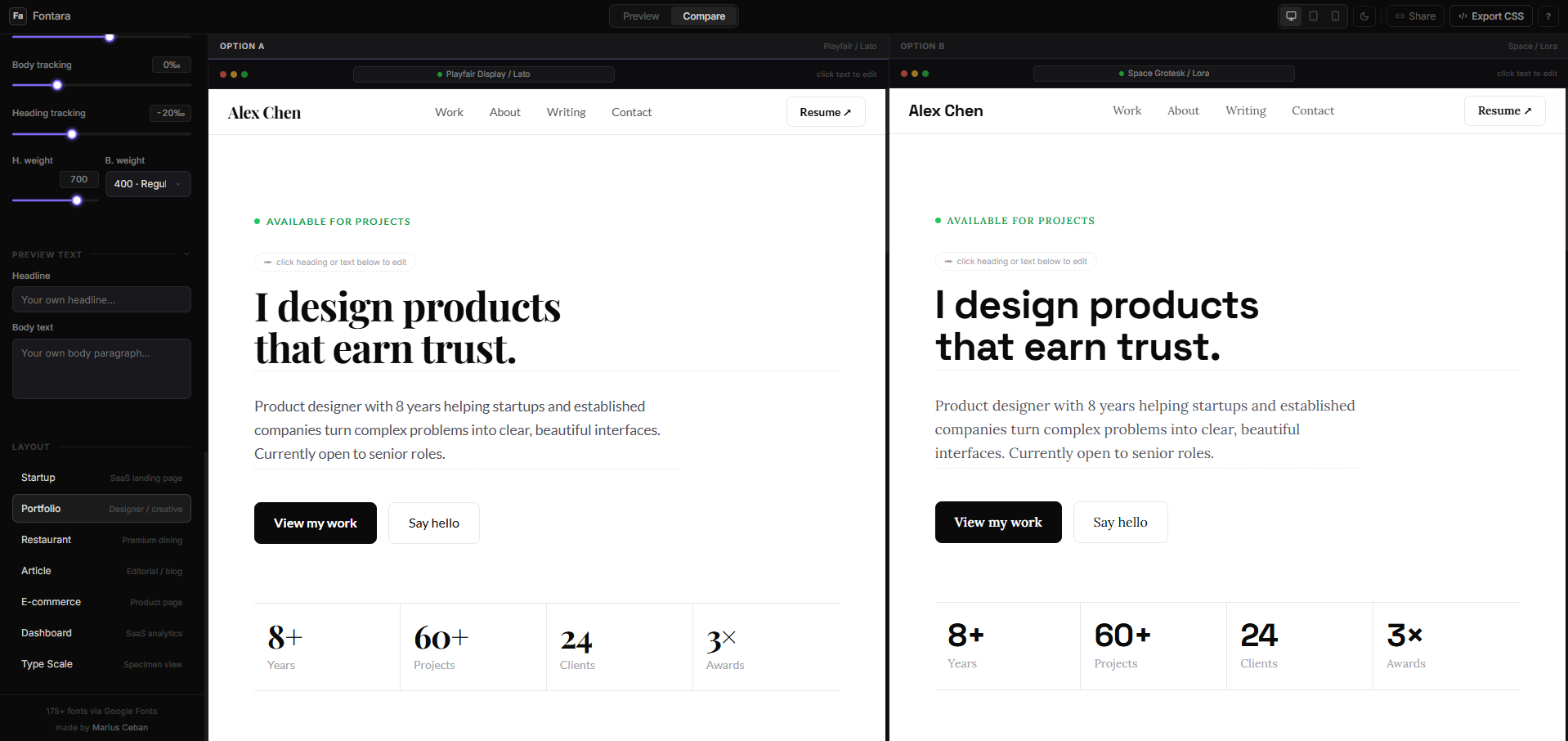
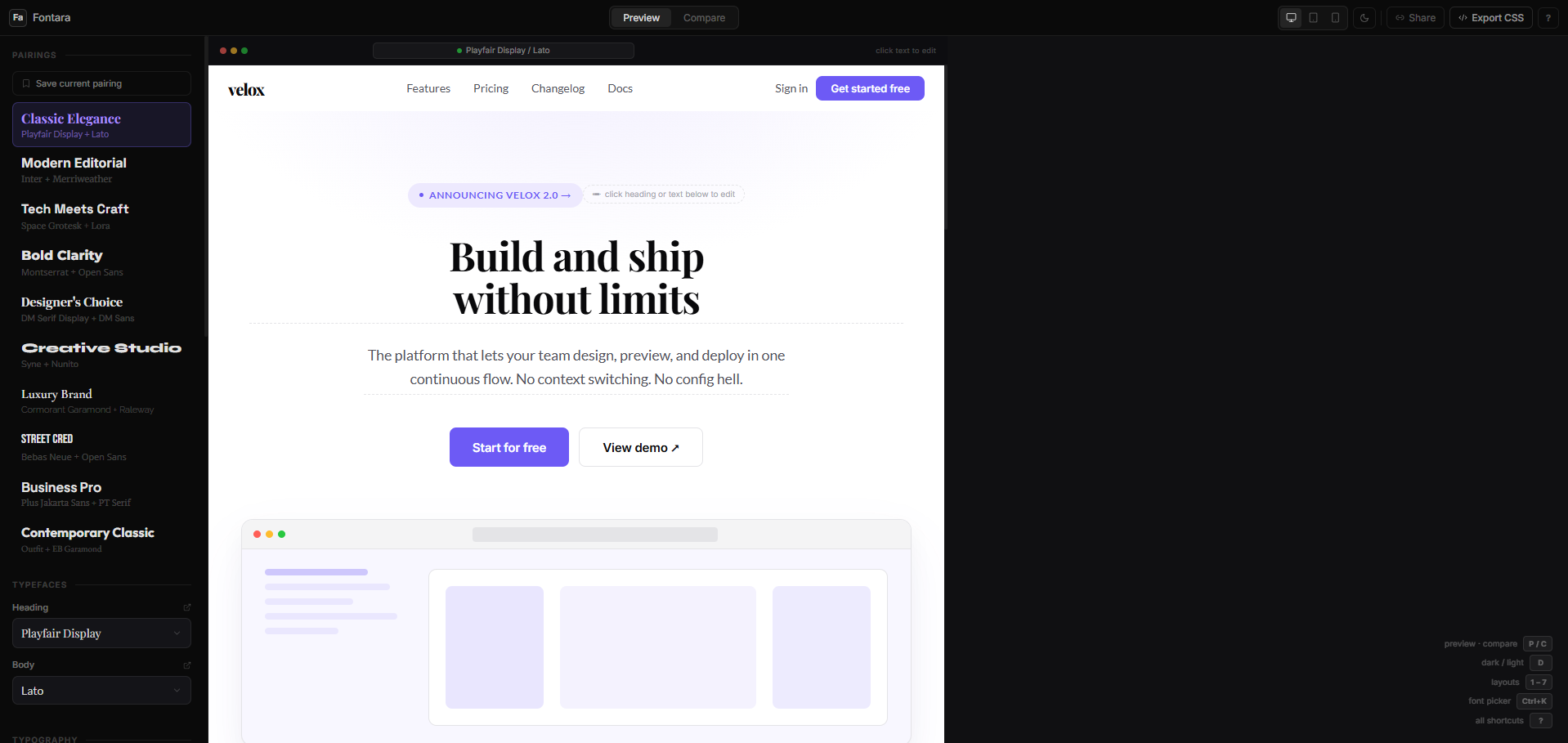
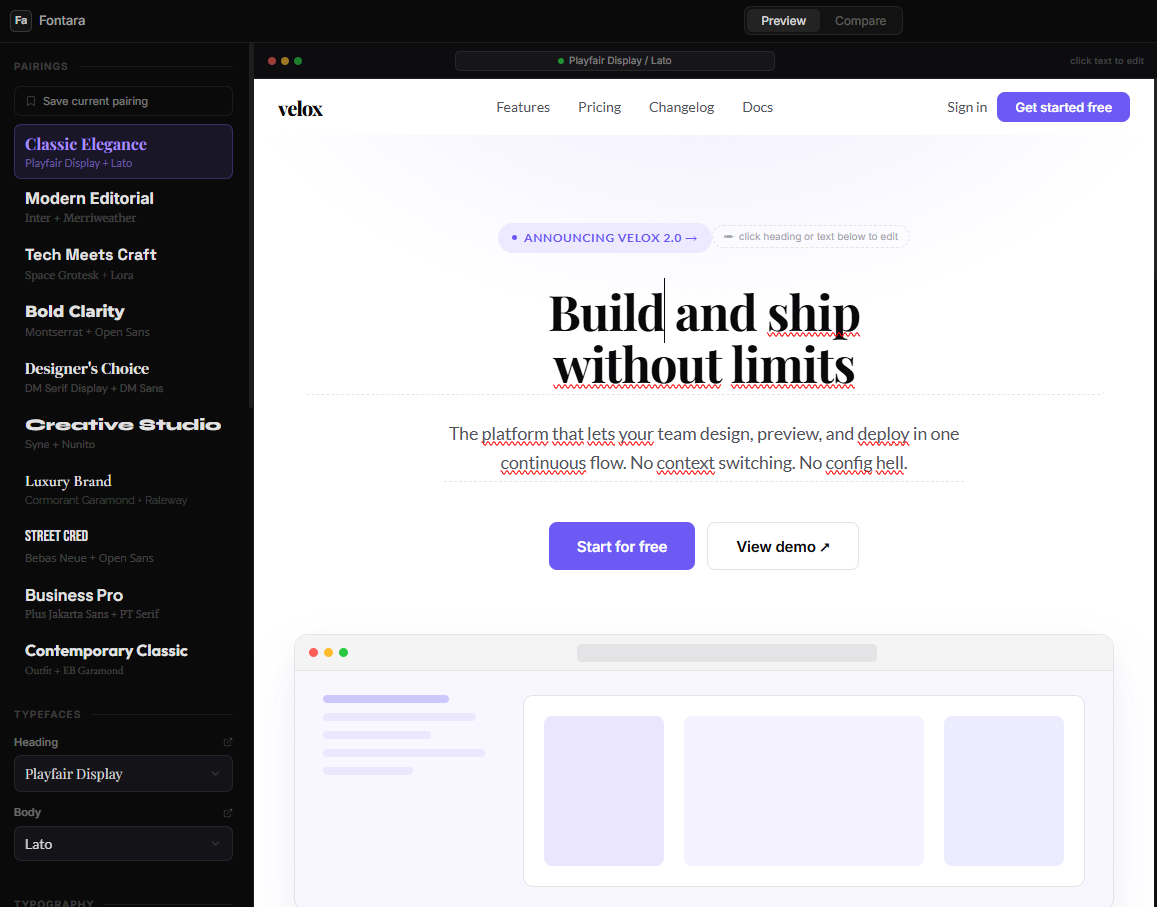
Fontara — main app interface with sidebar controls and startup layout preview
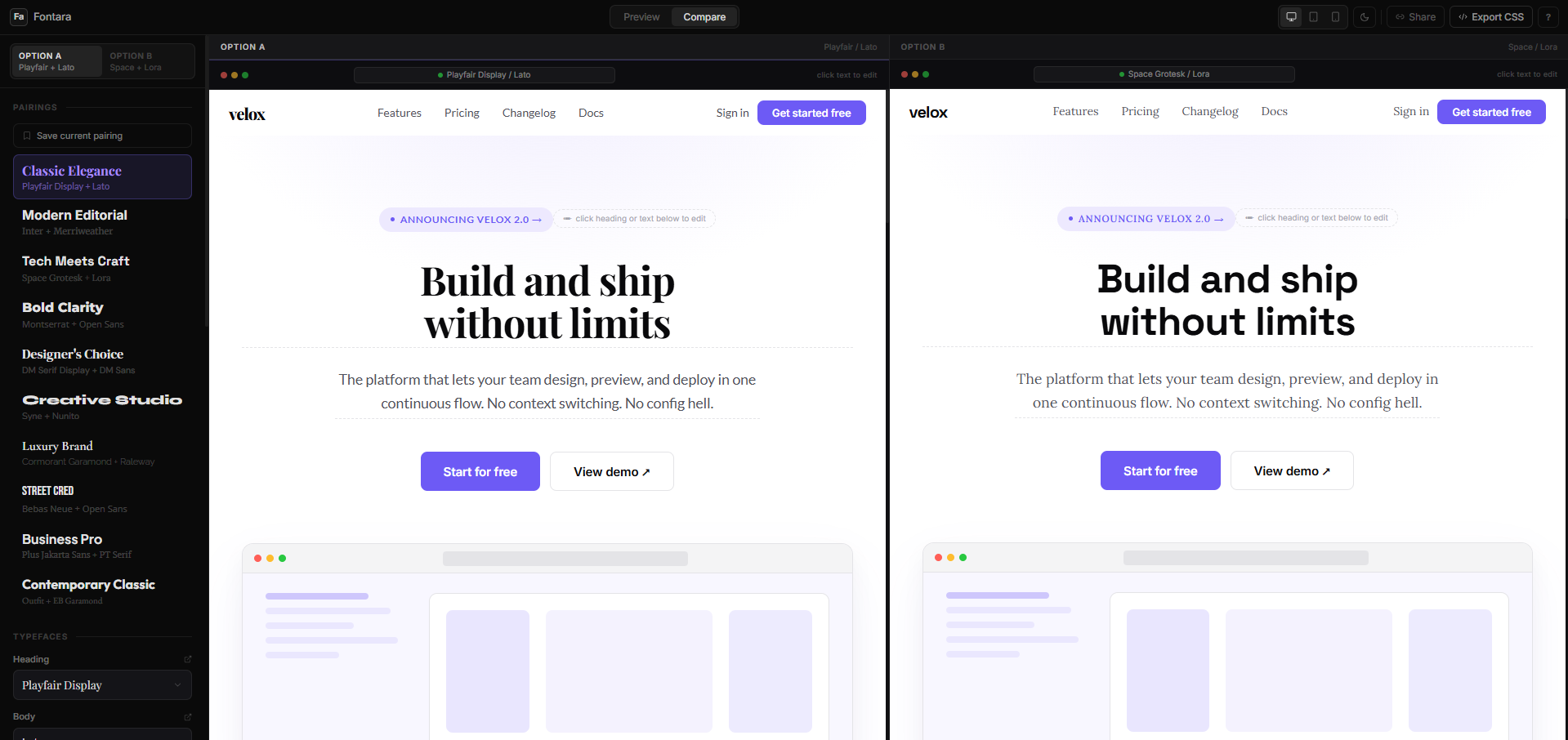
Fontara — compare mode showing two font pairings side by side
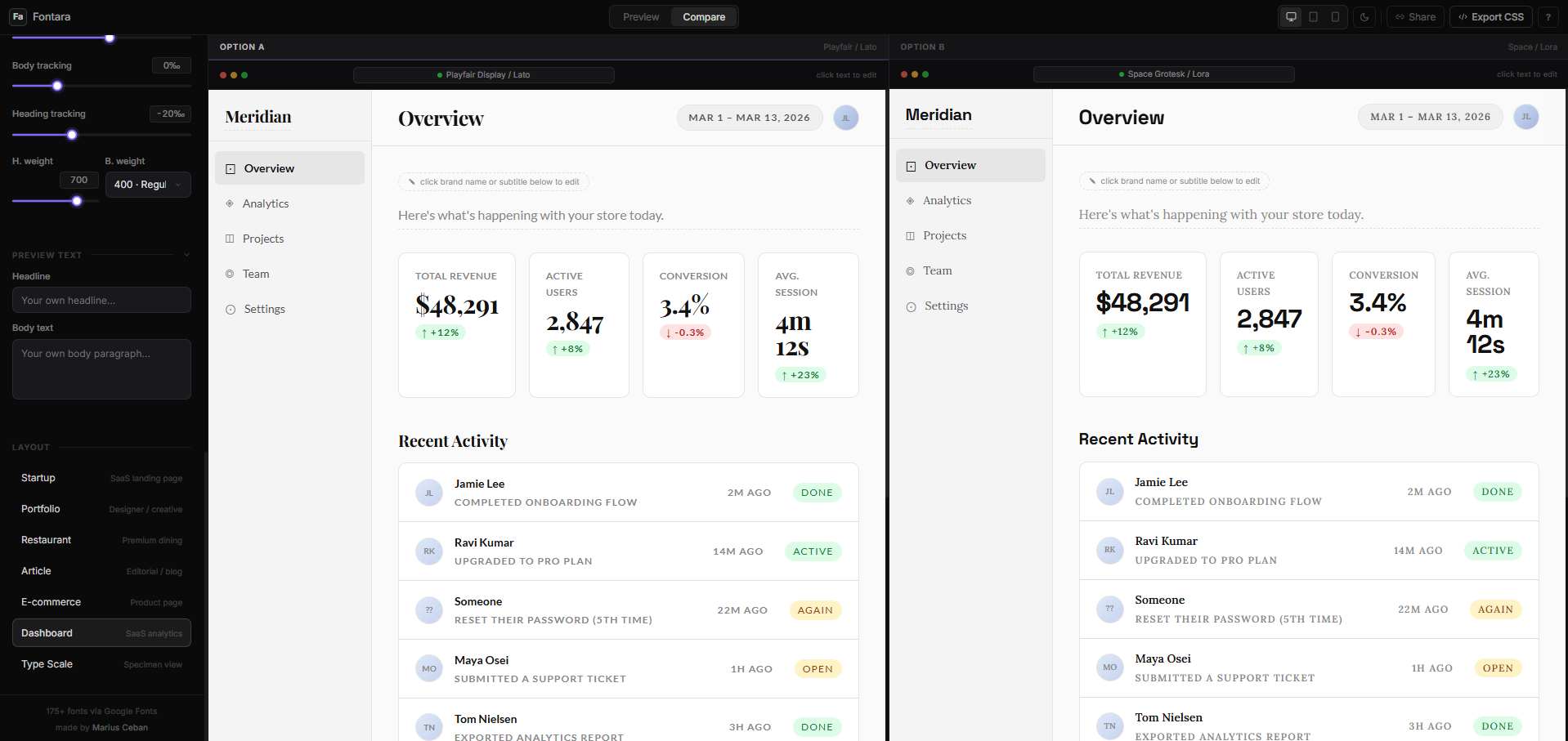
Fontara — dashboard layout preview with metric cards and data tables
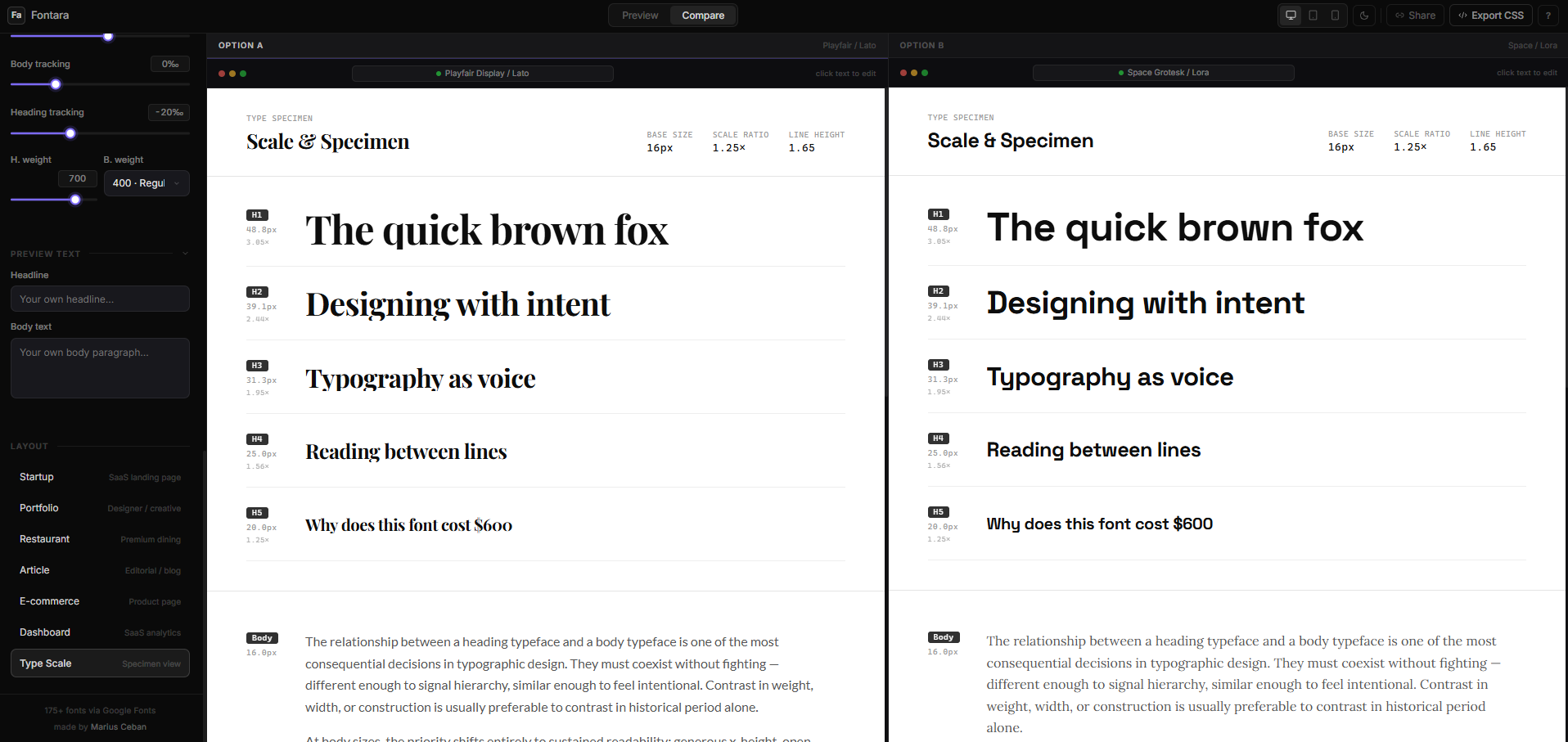
Fontara — TypeScale specimen showing H1 through small text at all sizes

Fontara is a browser-based typography lab. Pick a heading font and a body font from 175+ Google Fonts, set the typographic scale, adjust spacing and weight, and see the result rendered live inside 7 real-world layout contexts: a startup landing page, a portfolio, a restaurant site, an editorial article, an e-commerce product page, a SaaS dashboard, and a pure type specimen sheet. Every control updates the preview instantly — no page reloads, no compile steps, no signup.

The entire application state — fonts, weights, scale ratios, spacing, layout, viewport — is encoded into the URL hash. Copy the link and the exact configuration restores on any device. Fonts load on demand via dynamic link injection from Google Fonts, so only the fonts you are actually viewing hit the network.

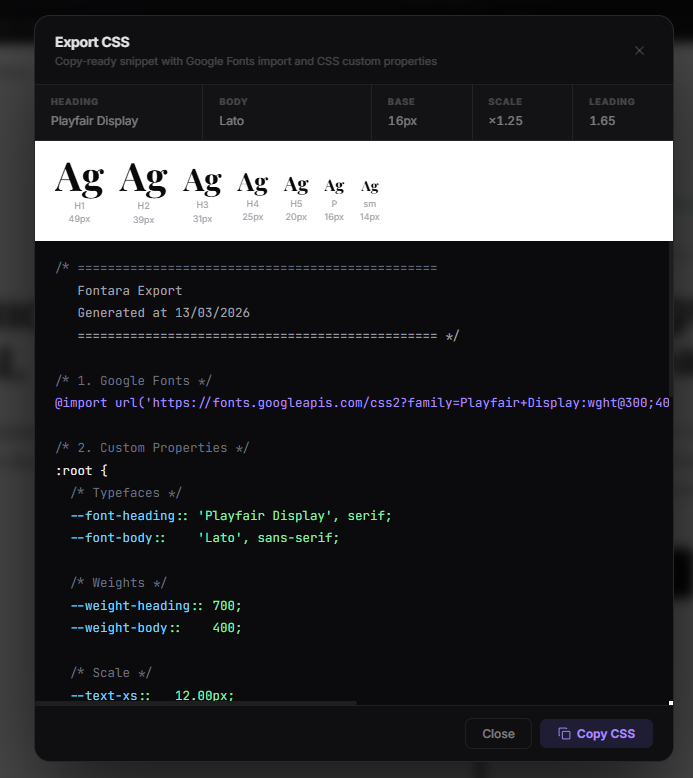
Two modes extend the core workflow. Compare splits the canvas into two fully independent panels — each with its own font pairing — so you can evaluate two combinations on the same layout at the same time. The Export modal generates a production-ready CSS snippet with the Google Fonts @import and all typographic variables defined as CSS custom properties.
· · · ◆ · · ·

Choosing font pairings is one of the most frustrating parts of early design work. You find a heading font you like, open Google Fonts in another tab, load a candidate body font, paste some text into a doc, and try to imagine how it will feel on a real page. The feedback loop is broken — too many steps between idea and result.

Fontara collapses that loop. It loads any Google Font in milliseconds, renders it inside actual layout contexts — not Lorem Ipsum on a white page — and lets you see how the pairing behaves at real scale: tight headings, long-form body copy, captions, labels. The curated pairing suggestions reduce the search space further: pick a heading font and the body picker surfaces fonts that are known to pair well with it based on actual design conventions.

The shareable URL was a deliberate product choice. A typography pairing is only useful if you can share it — with a collaborator, a client, or future you. Encoding all state into a compact base64 hash means no database, no accounts, no server-side logic. Just a link that works.

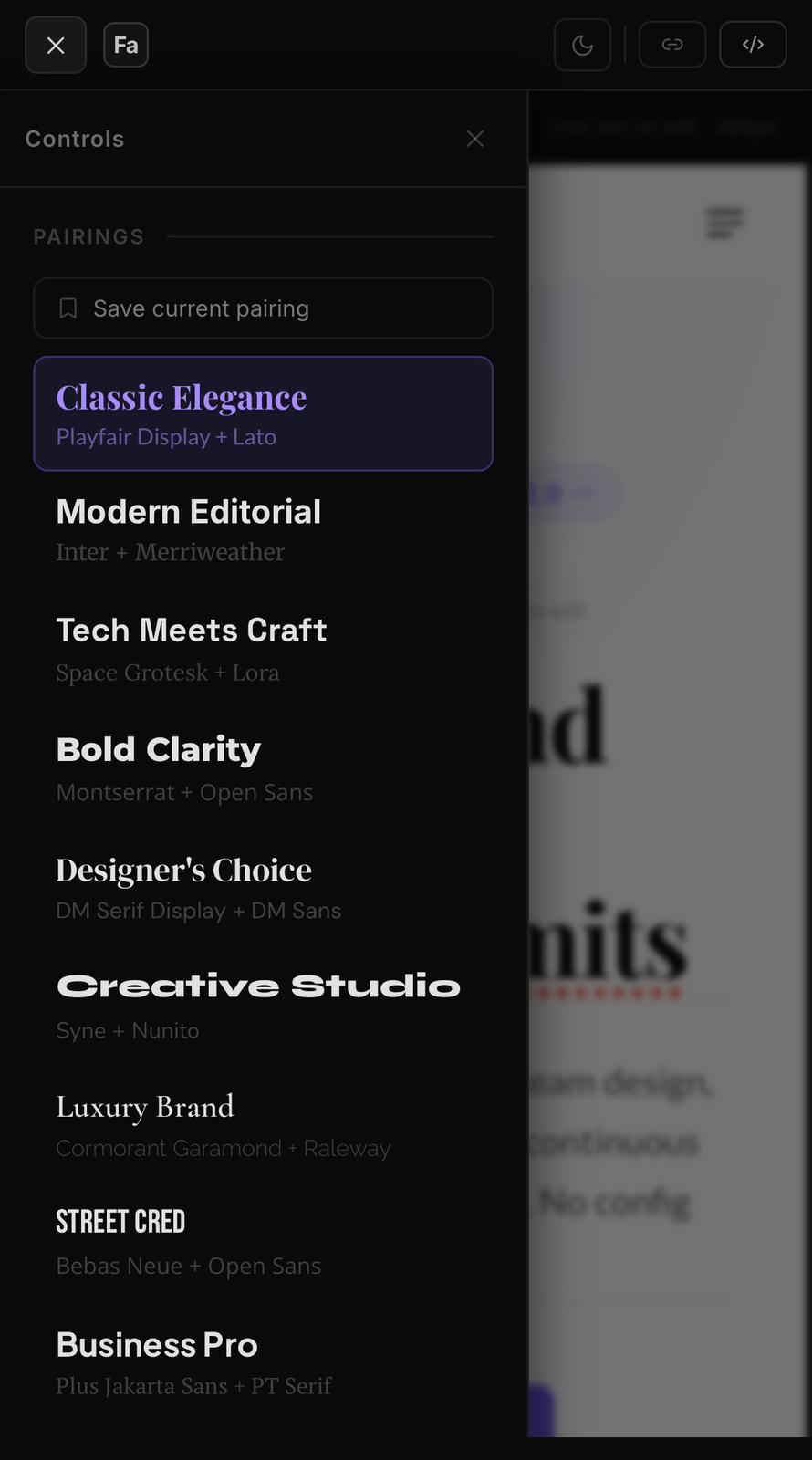
Fontara — mobile view with sidebar drawer and font preview
Fontara — editable preview text: click to type directly on the canvas

7 Real-World Layout Previews

Each of the 7 layouts is a self-contained React component rendering a realistic, content-rich UI context. Startup: a SaaS landing page with hero, subheading, and feature list. Portfolio: a designer's case-study page with header text and project grid. Restaurant: a dark atmospheric layout with a menu section. Article: long-form editorial copy with pull quotes and captions. E-commerce: a product detail page with pricing and description. Dashboard: a SaaS analytics interface with metric cards and data tables. TypeScale: a pure typographic specimen — every heading level (H1–H5), body, and small text rendered together so you can evaluate the full scale relationship at a glance. Switching layouts is instant and keyboard-mapped to keys 1–7. The preview theme (light or dark) toggles independently with D.

Fontara — portfolio layout showing heading and body font pairing on a case study page
Fontara — compare mode with two independent font pairings rendered side by side

Compare Mode

Pressing C splits the preview into two panels, each running a fully independent font pairing. The active panel — the one the sidebar is currently editing — is highlighted with a subtle border. Toggle between panels from the sidebar or by clicking directly in the preview. This lets you run a proper typographic side-by-side comparison without switching tabs or taking screenshots: the same layout, the same content, two different pairings, visible simultaneously. Compare mode is disabled on mobile where there is not enough horizontal space, and falls back automatically to single-panel preview.

Typography Controls & Save Pairing

Beyond the font pickers, four controls refine the typographic system: Base font size (px), Scale ratio (the multiplier between heading levels — Minor Third 1.2, Major Third 1.25, Perfect Fourth 1.33, Perfect Fifth 1.5, Golden Ratio 1.618), Line height, and Letter spacing for headings and body independently. Fonts with variable axis support expose a Weight slider that moves across the full optical range. The Save pairing button stores the current combination to localStorage under a named slug — duplicates are prevented — and the saved list appears in the sidebar for one-click recall. The Export CSS modal generates a copy-ready snippet: Google Fonts @import, all type levels as CSS custom properties, and a live type scale preview inside the modal showing actual pixel sizes for H1 through small text.

Fontara — Export CSS modal with syntax-highlighted snippet and type scale preview
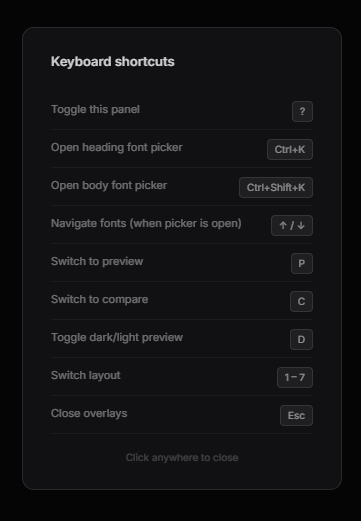
Fontara — keyboard shortcuts reference panel listing all key bindings

Keyboard Shortcuts & Shareable URL

A complete keyboard layer sits on top of the UI. Keys 1–7 switch layouts; P enters Preview mode; C enters Compare mode; D toggles the preview theme between light and dark; ⌘K (Ctrl+K on Windows) opens the heading font picker; ⌘⇧K opens the body font picker; arrow keys navigate the font list inside the picker with live preview on each selection; ? opens the full shortcut reference panel. The Share button encodes the entire application state — fonts, weights, scale, spacing, layout, viewport — into a compact base64 hash appended to the URL. Opening this link on any device restores the exact configuration: no server, no database, no account required. The URL is kept short by using abbreviated JSON keys before base64 encoding.

· · · ◆ · · ·

What shipped

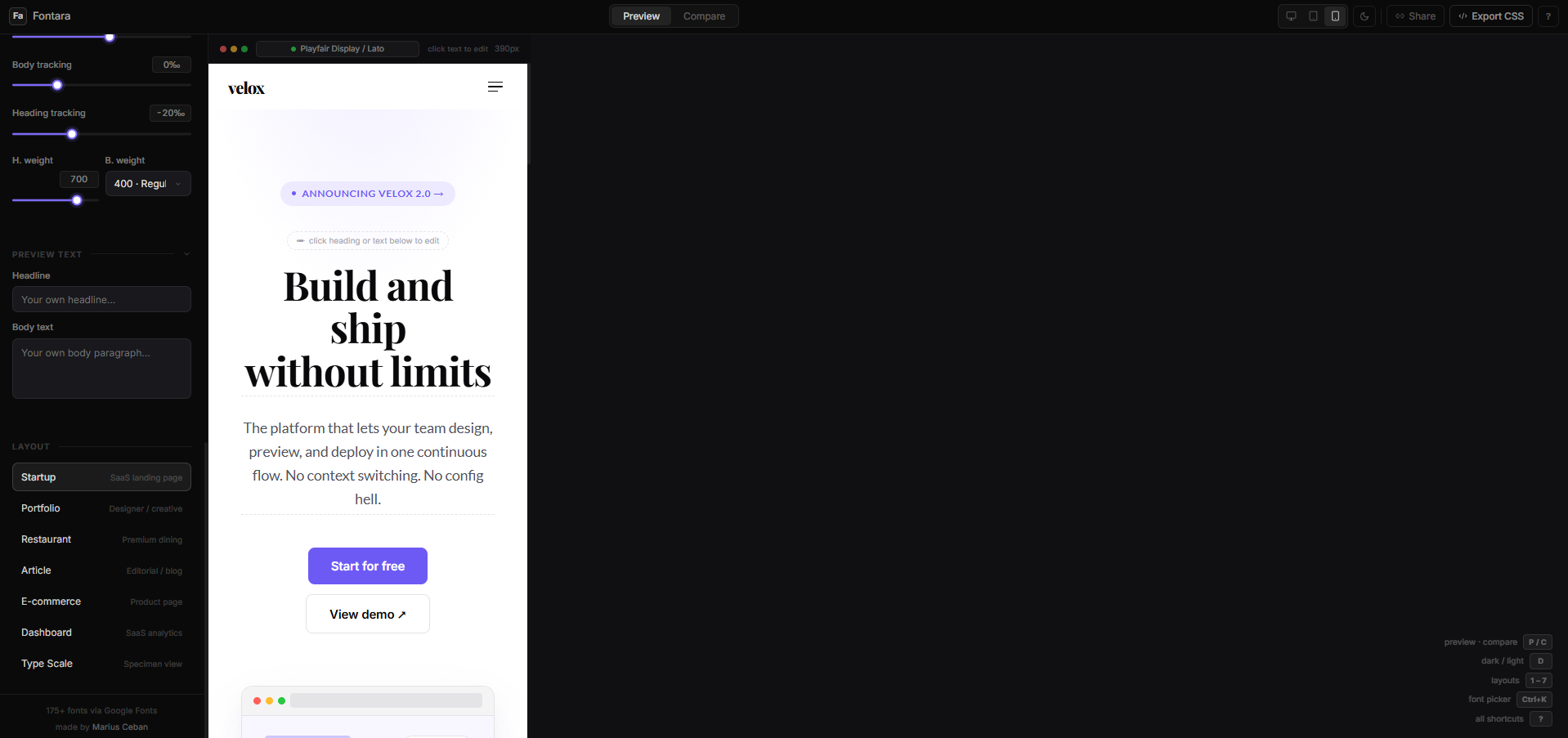
A complete browser-based typography tool: 175+ Google Fonts browsable by category (Sans, Serif, Display, Script, Mono) and searchable by name; curated pairing suggestions that surface compatible body fonts for any given heading font; 7 independent layout previews (Startup, Portfolio, Restaurant, Article, E-commerce, Dashboard, TypeScale); editable preview text — click any heading or body copy in the canvas to edit in place and see your own content in the chosen typeface; compare mode with two independent panels; typography controls for base size, scale ratio, line height, and letter spacing; variable font weight slider; save pairing to localStorage; export CSS with Google Fonts import and CSS custom properties; keyboard shortcuts for all primary actions; and a shareable URL that encodes the full configuration. Fully responsive — the sidebar becomes a slide-in drawer on mobile.

What I learned

The most interesting technical challenge was the URL state system. Encoding a complete typography configuration — two font names, two weights, five numeric parameters, the current layout, and the viewport — into a URL short enough to actually be shareable required compressing the JSON key names to single characters before base64 encoding. The decode path also needs to be resilient: malformed or truncated hashes must fail silently and fall back to defaults. The font picker keyboard navigation with live preview on each arrow key press — loading a new Google Font on every keystroke without lag — required careful debouncing and prioritising fonts that are already cached in the browser.

Fontara — mobile preview view on phone
NEXT PROJECT
Fontara Widget →